Here is the Saturday morning challenge
1. Find a poem and add it to your google keep account as a note
2. Use your phone/tablet/camera to take a photo and upload it to google photos
3. Make a post on blogger combining the poem and the photo
4. Share the post with me by adding a link in a comment to this post
Good Luck everyone
HINTS
Find a poem
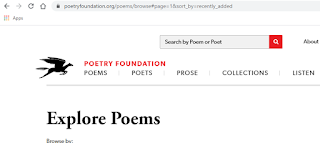
I looked for lockdown as it seemed current.
Highlight the poetry and copy (CTRL+C/COMMAND+C)
Open keep and paste your poem into a note
You have it safely stored away after you have closed the note
(Don't forget to pin it to keep it at the top of your notes)
Go get a picture to suit. either take a photo with your phone/camera/tablet and upload it to google photos or browse for one on the internet and pop it into Google photos by copy and paste . I have a bathroom themed pair of photos here done by either method
To combine these into a blog post open blogger and select new post
Give the post a nice name
Get the image from google photos by selecting Inserting image from the menu. Choose the option 'from your phone' to look at google photos, and pick your photo to add to the blog
Go to Google Keep to find your poem and copy out the text. Now past it into your block entry
Et voila! you have a post with a picture! I added two pictures to show off and it looked like this
Adjust the blog page to improve its looks and then click Publish and you have made the post
Click View blog to look and see the result.
Now let me know about your blog .
Copy out the address of your blog when you are viewing it. Here is mine.
Scroll down through this instruction sheet and add a comment at the bottom including your blog address.
We can then have a look at your own efforts -Great eh!
Can you imaging how complicated it was making this post?


